A little adventure in learning to code
Python and JavaScript adventures for curious kids 8+ who can read and type.
No account needed to try • A keyboard works best for text coding
for step in range():
    forward(100)
    right()
Change the numbers and watch.
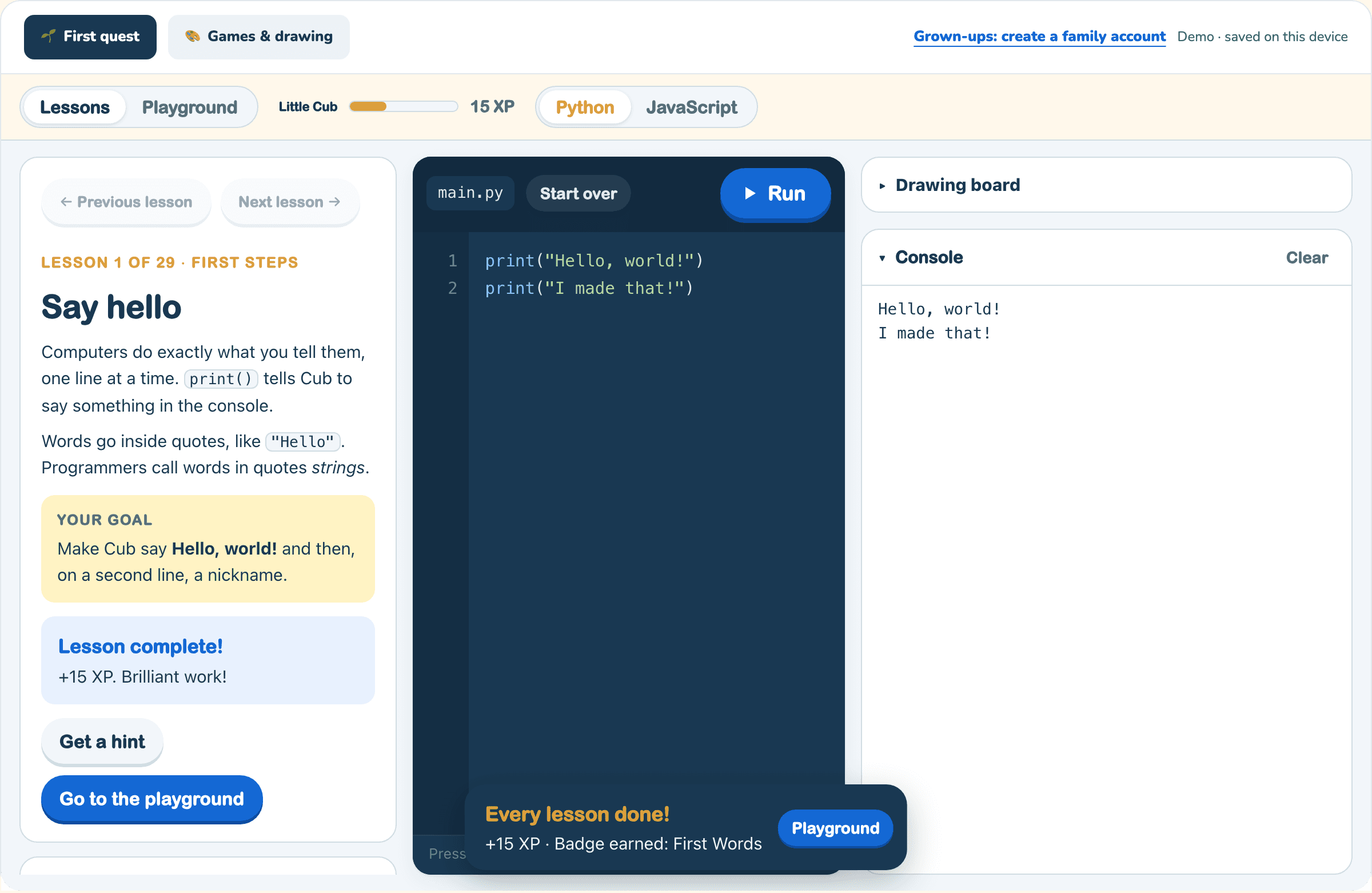
The real thing, not a mock-up
This is the actual workspace your cub uses: code on the left, what it does on the right, and a hint when they get stuck.
Prefer blocks? Try the free puzzle course (progress stays in this browser).
One small step at a time
Say hello, name a few things, do some number magic. Real Python or JavaScript from the first minute.
Repeat, count down, and turn four lines into a square, a star, a spiral. Seeing it is believing it.
Conditions, functions and lists, then the playground: change a game, add a rule, make it theirs.
The text quests suit kids around 8 and up who can read and type. Younger beginners can start with the free blocks course, or explore with a grown-up.
A modern browser and an internet connection. A laptop or desktop keyboard works best for writing code. Nothing to install.
The first quest, the playground demo and the blocks course are free, with no account. A family plan unlocks every quest and saves each cub’s code and progress in the cloud.
Cancel future renewals any time from the grown-ups’ corner. Your family keeps access until the end of the paid period.
No public profiles, chat or ads. We keep a nickname, an avatar, the code they write and the quests they finish, only with a parent or guardian’s consent, and you can download or delete it any time.
More in the family plan details, privacy notice and help@algocub.com.
Let’s see what your cub can create.
Try a free questMore from The Trellis Studio


